DevCards: A Desktop Card Built in One Afternoon
· 中文 · English
Every team meeting, I’d sit there scrolling through commit history in GitLab, repository by repository, trying to remember what I’d done that week. It was a pain.
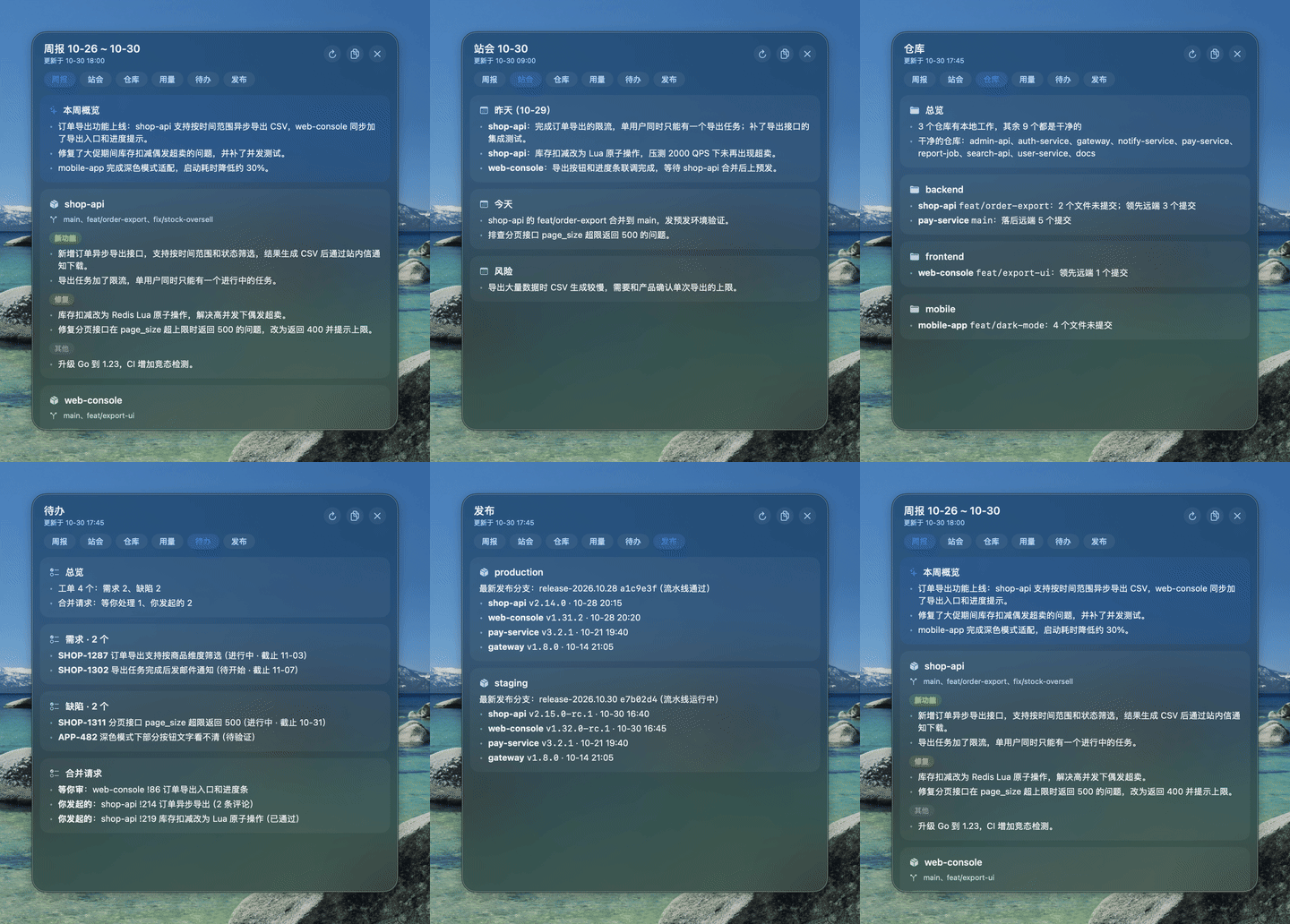
On the afternoon of October 10, I asked Claude Code to build me a card that sits on my desktop and does that for me. The first version was committed at 15:47 and could only write the weekly report. By 17:18 it could also write standup notes, show repository status, track Claude Code usage, list my todos, show releases, estimate hours and draft OKRs. An hour and a half, start to finish.
It has lived on my desktop ever since, under the name DevCards. I’ve now open-sourced it.
What it does
One card, a few tabs, with data from the git repositories on your machine and Claude Code:
- Weekly, Standup, OKR: your commits handed to Claude and written up as text you can read out as is;
- Repos: which repositories have uncommitted changes or unpushed commits;
- Usage: Claude Code token usage today and this week, broken down by project and model;
- Todo, Releases, Hours: hooked up to an issue tracker and GitLab, showing issues assigned to me, merge requests waiting on me, and which version runs in each environment.
The first five only need git and claude on your machine; the rest need a data source in the config.
A few things I think it got right
Each widget only writes a Markdown file. The card itself does one thing: render those files. Adding a tab means writing a Python script that writes a .md into the data directory. The card doesn’t need to know where the data comes from.
It lives on the desktop and doesn’t compete with windows. The card sits above the desktop icons and below every normal window. It stays out of the way while I work, and it’s right there whenever I go back to the desktop, without interrupting me like a notification would.
Nothing is written to an external system without my say-so. Hours are estimated from the issue IDs in my commits and only shown on the card. They’re written to the issue tracker only after I press the log button and confirm. AI can organise things for me, but when it comes to submitting them, I still want to press the button myself.
Using it
You need macOS 13+ and a logged-in claude CLI:
git clone https://github.com/TonkyShan/devcards.git
cd devcards
./install.sh ~/code    # the directory that holds your repositories
To see it first, ./demo.sh opens a separate card on sample data without touching your own.
The interface is in Chinese for now. The code is on GitHub under the MIT license, and issues are welcome.